Emergency dispatch and pings
Shows opted-in crew pins, active job sites and nearest-worker search. Emergency job offers use first-to-accept dispatch: an eligible acceptance fills an open slot and assigns the worker.
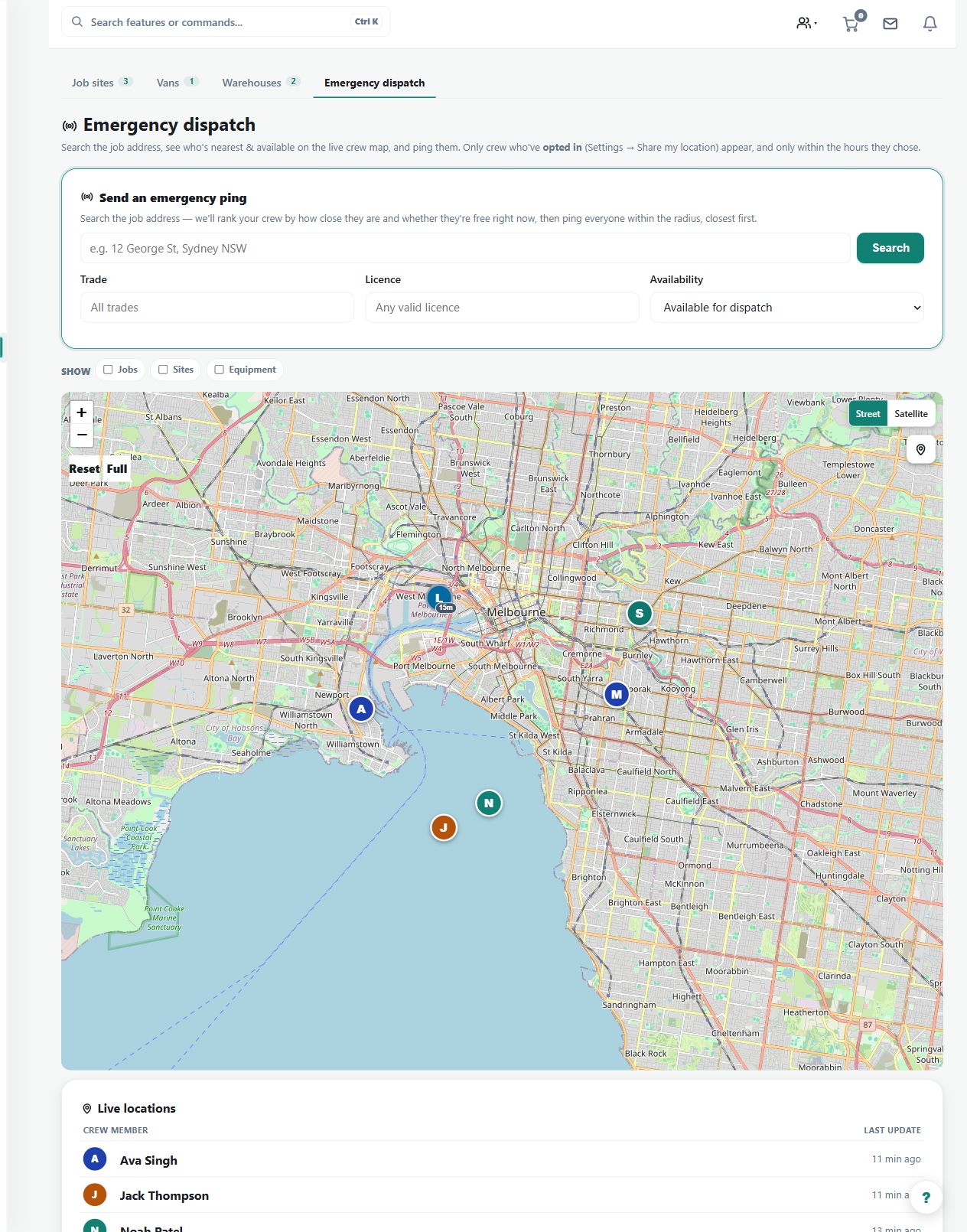
Use the crew map to assess nearby available workers and send a deliberate urgent-work ping.
Before you start
Availability: Team plan and above. Enabled business features, role permissions, connected providers and supported devices may add requirements.
Documented roles: Owner, Office. A role name alone does not override the permissions set by your business.
Where to find it: team > Crew map > Dispatch pings.
Confirm the job address and look at the location timestamp, accuracy and worker availability. Location visibility depends on the worker's sharing conditions.
Step by step
- Open Crew locations at /team/locations.
- Use the map to review opted-in crew pins, stale markers, active job sites, distance, accuracy, and time at the current spot.
- Search near a job or address to find the closest available worker.
- Send an emergency job offer to selected or nearby available crew. An eligible acceptance assigns the worker to an open slot; the offer closes when all slots are filled. If nobody accepts, review recipients or assign manually.
Worked example
For an urgent call-out, search near the site, inspect suitable available crew and use the selected-worker or radius ping controls to request a response.
This is an illustrative scenario. Use your own approved scope, quantities, rates and business rules.
Follow the first-to-accept emergency dispatch workflow.
Check the result
Review who responded and the resulting assignment. Check fresh location and job context rather than dispatching solely on the nearest pin.
Limits and troubleshooting
A stale or imprecise pin is not a reliable arrival promise. Proximity does not establish trade qualifications, capacity or customer access; check those separately.
See the emergency dispatch screens for the office and crew
Follow the screenshot tutorial: Schedule and dispatch a job
Using the mobile app
The screenshots above show the web interface. These guides explain the separate native app screens and their limits.
Check current plans and feature availability · Browse every guide